Description
Game Introduction
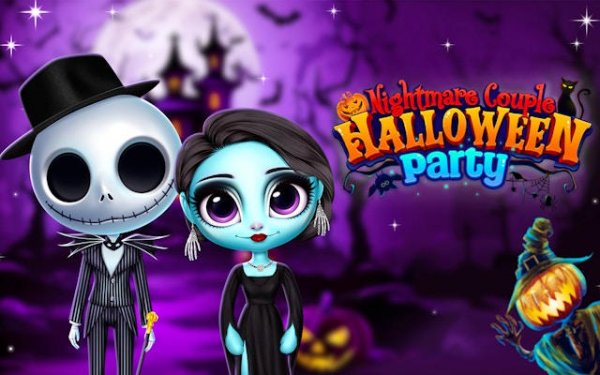
Nightmare Couple Halloween Party Dress Up Online Game is a creative fashion game where you help a spooky pair prepare for the biggest Halloween party. The core objective is to design memorable costumes for both characters using a wide variety of themed items. What makes this game unique is its focus on couple coordination—you dress two characters together to create a standout duo. With bright, family-friendly visuals and a playful soundtrack, it offers a safe online environment for players who enjoy fashion and creativity.
How to Play
To play, start by selecting either the male or female character. Then browse through categories such as Costumes, Hats, Shoes, and Accessories. Click any item to try it on your character. You can freely switch between categories and layer different pieces. Once both characters are dressed, you can view your final creation. There are no timers or complex rules, so you can experiment at your own pace. The game is easy to use on both computers and tablets—just click and drag or tap to select items.
Game Features
The game offers a vast spooky wardrobe with hundreds of Halloween-themed costumes and items. Eerie accessories galore include hats, masks, jewelry, and props to complete each look. Haunting hairstyles and makeup options allow for ghostly hair and scary face paint. The game provides unlimited creative freedom to mix and match without limits, all within a festive Halloween atmosphere enhanced by bright graphics and playful music.
Tips for Success
To create the most memorable duo, try experimenting with contrasting styles—for example, pair a vampire cape with a witch hat for unexpected flair. Don't be afraid to layer accessories like glowing jewelry and spiderweb veils to add depth. Use makeup and hairstyles to tie both characters together thematically. Since there are no timers, take your time to explore all categories and try combinations you wouldn't normally consider. The goal is to have fun and let your creativity shine.
❓ Having issues?
✅ This game supports: - Desktop browsers (Chrome, Edge, Safari) - Mobile browsers (Chrome on Android, Safari on iOS) ❌ Does NOT support: - Internet Explorer - Very old browser versions 👉 Try refreshing or updating your browser