Classic Checkers Strategy Board Game
Reviews
Classic Checkers delivers a clean and engaging experience that stays true to the original board game. The interface is intuitive, making it easy to focus on strategy. The multiplayer feature allows you to challenge friends or play against a computer opponent. The game's simple rules combined with deep strategic possibilities make it enjoyable for both casual and serious players. Overall, it is a well-crafted game that offers hours of fun.
Description
Game Introduction
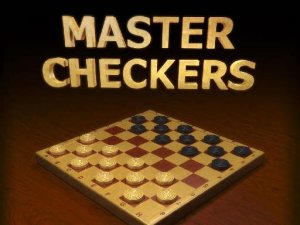
Classic Checkers is a digital version of the traditional board game that has been enjoyed for centuries. This strategy game is designed for two players who take turns moving their pieces diagonally across a checkered board. The primary objective is to capture all of your opponent's pieces by jumping over them, or to block them so they cannot make any legal moves. The rules are simple to understand, but the game offers deep strategic possibilities that can challenge players of all skill levels. Whether you are new to the game or have years of experience, Classic Checkers provides a satisfying blend of challenge and enjoyment. The clean interface and smooth gameplay make it easy to focus on the strategy. This game is a great way to sharpen your mind and have fun with friends or family.
How to Play
In Classic Checkers, players alternate turns moving their pieces diagonally forward on the dark squares of the board. If an opponent's piece is adjacent and the square beyond it is empty, you must jump over it to capture it. Multiple jumps are allowed in a single turn if the opportunity arises. When a piece reaches the opposite end of the board, it becomes a king, which can move both forward and backward. The game ends when one player has no pieces left or cannot make a legal move. The gameplay is easy to learn but offers plenty of strategic depth for those who want to master it.
Game Features
Classic Checkers includes engaging strategy gameplay. It features two-player gameplay, mandatory captures, and king promotion. The game is designed for multiplayer, allowing you to challenge friends or other players online. As a puzzle game, it encourages strategic thinking and problem-solving. The clean interface and smooth gameplay make it easy to play. Classic Checkers is a wonderful game for anyone who loves strategy and classic board games.
Tips for Success
To improve your game, practice regularly to understand the basic moves and captures. Learn to plan several moves ahead, anticipating your opponent's responses. Focus on controlling the center of the board, as this gives you more options. Protect your back row to prevent your opponent from promoting their pieces. Use forced captures to your advantage by setting up traps. Finally, study common openings and endgame strategies to gain an edge over your opponents.