Grid Connect Strategy Game
Reviews
Grid Connect delivers exactly what a classic logic puzzle should: simple rules that lead to surprisingly deep strategy. The adjustable difficulty makes it accessible for beginners while still challenging for veterans. The clean interface and responsive controls on both desktop and mobile make it a pleasure to play. I appreciate that it requires no downloads and works instantly in a browser. The two-player mode is a nice addition for family game nights. Overall, it is a well-executed version of a timeless game.
Description
The Core Mechanic
Grid Connect transforms a simple grid of dots into a battlefield of wits. On each turn, you draw a single line between two adjacent dots. If that line completes a 1x1 box, you score a point and immediately get another turn. This chain reaction of moves rewards careful planning and quick thinking. The game continues until every possible line has been drawn and all boxes are claimed. The player with the highest score at the end wins. The rules are straightforward, but the strategic depth emerges as you learn to set up multiple boxes with a single move.
Strategic Depth & Decision Making
What makes Grid Connect engaging is the constant trade-off between immediate gains and long-term positioning. Completing a box gives you a point and an extra turn, but it also gives your opponent information about your strategy. Experienced players learn to create chains of boxes, forcing opponents into disadvantageous positions. Sacrificing a small box early can lead to a larger advantage later. The game rewards patience and foresight, as the player who thinks several moves ahead often prevails. Each match feels fresh because the grid layout and opponent choices create unique puzzles every time.
Adjustable Challenge Levels
Grid Connect includes multiple difficulty settings, allowing players to tailor the challenge to their skill level. Beginners can start with a smaller grid and simpler AI, gradually building confidence. Advanced players can increase grid size and face a more cunning opponent that anticipates moves and sets traps. This scalability ensures the game remains enjoyable whether you have five minutes or an hour. The difficulty adjustment is accessible from the main menu, so you can change it between matches without hassle.
Visual & Audio Experience
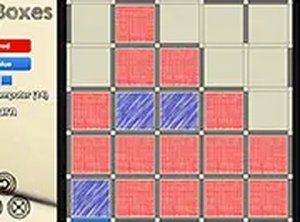
The design of Grid Connect is clean and minimal, focusing attention on the gameplay. Dots are clearly marked, and lines appear smoothly as you draw them. Completed boxes are highlighted with a subtle color change, making it easy to track progress. The interface is responsive on both desktop and mobile devices, with touch controls that feel natural. The sound effects are gentle and non-intrusive, providing feedback without distraction. The overall aesthetic is calm and inviting, suitable for players of all ages.
Accessibility & Platform Support
Grid Connect runs directly in your browser without any downloads or installations. It works on desktop computers, tablets, and smartphones, adapting to different screen sizes automatically. The controls are intuitive: click or tap to draw lines, and the game responds instantly. Full-screen mode is available for a more immersive experience. Because it requires no special software, you can start playing immediately on any device with an internet connection. This makes it an excellent choice for quick breaks or longer sessions.
Why It Appeals to All Ages
The simplicity of the rules makes Grid Connect accessible to young children, while the strategic depth keeps adults engaged. It is a game that can be enjoyed casually or competitively, depending on the players' preferences. Families can play together, with older players teaching younger ones the basics and then gradually introducing more advanced tactics. The game encourages logical thinking, pattern recognition, and forward planning in a fun, low-pressure environment. It is a timeless activity that has entertained generations and continues to find new audiences online.