Hopper's Platform Quest
Reviews
Hopper's Platform Quest strips away unnecessary complexity and delivers a pure jumping challenge. The controls are responsive, the difficulty curve is well-judged, and the cheerful visuals make each failure feel like a learning opportunity rather than a punishment. It is an ideal choice for casual gamers who want a straightforward, ad-free experience that respects their time.
Description
Core Gameplay Loop
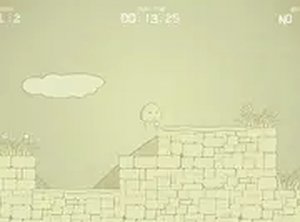
Hopper's Platform Quest is a side-scrolling platformer where the main action revolves around running and jumping. Each stage presents a series of platforms suspended over empty space, along with stationary obstacles that block the path. The goal is straightforward: reach the flag at the end of the level. Success depends on timing your jumps correctly to clear gaps and land safely on the next platform. The game keeps the focus on this fundamental mechanic, avoiding complex combos or special moves.
Level Structure and Difficulty
Stages are arranged in a linear sequence, with each new level introducing slightly more complex platform arrangements. Early stages feature wide platforms and small gaps, allowing players to get comfortable with the controls. Later levels narrow the platforms and increase the distance between them, requiring more precise jumps. Obstacles also become more frequent, sometimes appearing in patterns that demand careful observation before making a move. This gradual ramp-up helps players build skill without feeling overwhelmed.
Visual Style and Atmosphere
The game uses bright, saturated colors and simple, friendly character designs. Backgrounds feature gentle gradients and occasional decorative elements like clouds or trees, creating a lighthearted mood. The character Hopper is drawn with a cheerful expression and smooth animation, making each jump feel lively. The overall visual approach is clean and uncluttered, ensuring that platforms and obstacles are easy to distinguish at a glance. This clarity is especially helpful during fast-paced sections where quick decisions matter.
Controls and Accessibility
Hopper's Platform Quest is designed to be playable on both touchscreens and keyboards. On a phone or tablet, tapping the screen makes Hopper jump, while on a computer, the spacebar or up arrow serves the same function. Left and right movement is handled by on-screen buttons or keyboard arrows. The control scheme is intentionally minimal, allowing players to focus entirely on timing and positioning. The game loads quickly in any modern browser and requires no installation or account creation.
Progression and Replay Value
As players complete stages, they unlock the next level in the sequence. There are no lives or continues, so failing a stage simply means restarting that same level. This design encourages experimentation and practice without penalty. Some levels contain optional collectible items placed in slightly tricky spots, offering a small incentive to explore alternative routes. While the main path is always clear, these extras add a light layer of replayability for those who want to perfect their run.